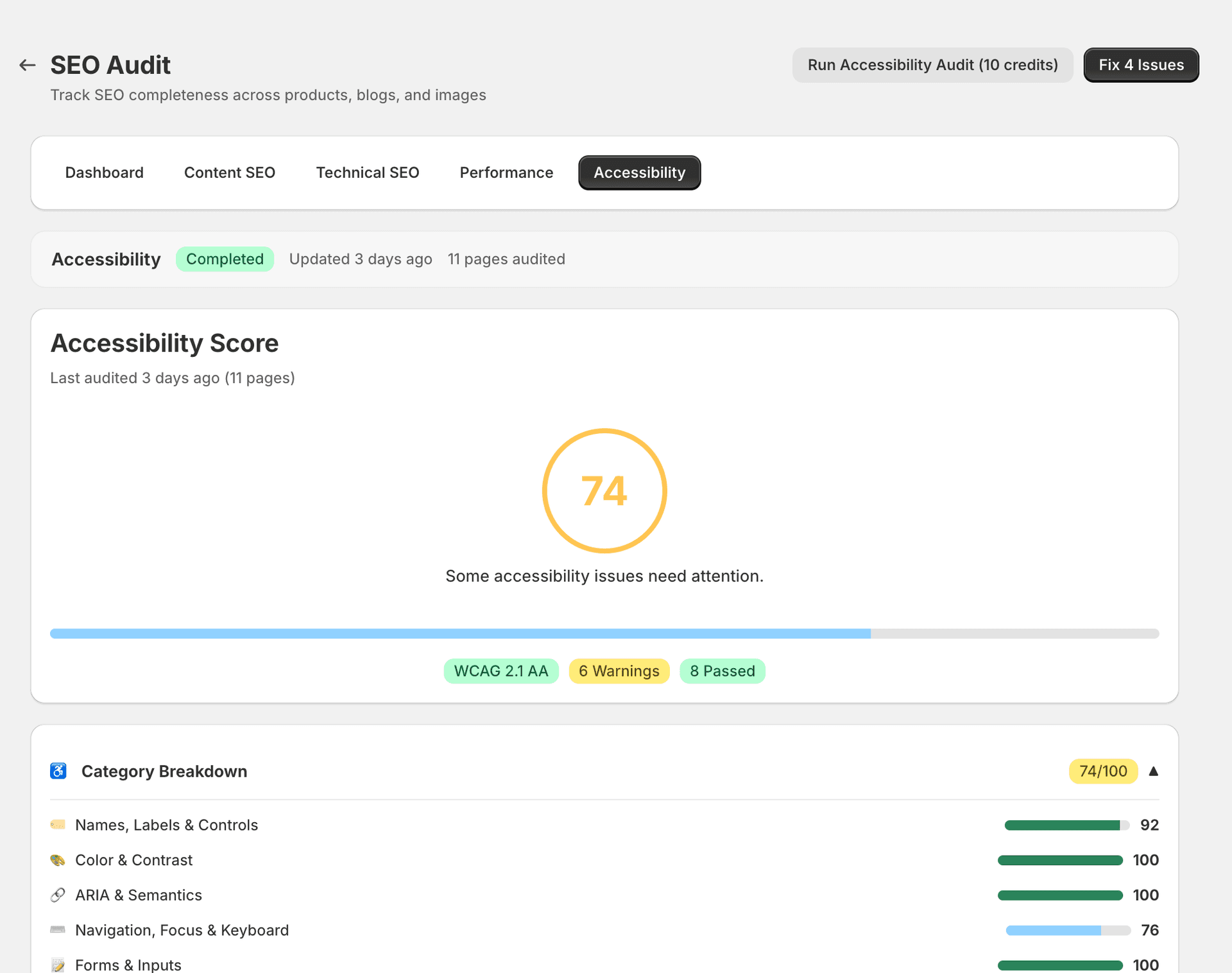
Accessibility Audit
The Accessibility tab checks your store against common accessibility standards. Good accessibility improves SEO indirectly by making your site usable for everyone, including search engine crawlers.
What it checks
| Check | What it means | Severity |
|---|---|---|
| Missing image alt text | Images without alt text are invisible to screen readers and search engines. This is also a direct SEO issue. | Critical |
| Missing form labels | Form fields without labels are difficult for screen reader users to understand and interact with. | Warning |
| Insufficient colour contrast | Text that doesn't have enough contrast against its background is hard to read for people with visual impairments. | Warning |
| Incorrect heading hierarchy | Jumping from H1 to H4 (skipping H2 and H3) confuses both screen readers and search engines about your content structure. | Warning |
| Missing ARIA labels on interactive elements | Buttons, toggles, and other interactive elements without ARIA labels are unusable for assistive technology users. | Info |
| Missing language attribute on HTML | Without a language attribute, screen readers may use the wrong pronunciation rules, and search engines may misidentify the page language. | Info |
| Empty links or buttons | Links or buttons with no text content are meaningless to screen readers and confusing to all users. | Warning |
| Auto-playing media without controls | Media that plays automatically without pause or stop controls is disruptive and inaccessible. | Info |
Why accessibility matters for SEO
Search engines value accessible sites, and many accessibility improvements directly benefit your rankings:
- Alt text helps image search rankings by giving search engines a text description of your images.
- Proper heading hierarchy helps search engines understand your content structure and identify key topics.
- Good accessibility correlates with better user engagement metrics (lower bounce rates, longer session times), which influence rankings.
Fix types
- AUTO — SitePx can generate missing alt text using AI. This is the most common auto-fixable accessibility issue.
- GUIDED — Heading hierarchy and form labels require changes to your content or theme, but SitePx shows you exactly what to fix and where.
- MANUAL — Colour contrast, ARIA labels, and HTML language attributes require theme changes. SitePx provides the specific values and locations that need updating.
Note
Accessibility improvements benefit all your customers, not just SEO. Screen reader users, keyboard navigators, and people with visual impairments all benefit from a well-structured, accessible store.
Common issues and fixes
- Missing alt text — This is the most common accessibility issue across Shopify stores. Use the Image optimiser to generate descriptive alt text in bulk.
- Heading hierarchy — Ensure each page has exactly one H1, followed by H2s, then H3s in order. Avoid skipping heading levels (e.g. jumping from H1 directly to H4).
- Colour contrast — Check your theme's colour scheme. Text should have a minimum 4.5:1 contrast ratio against its background. Most theme editors let you adjust colours without writing code.