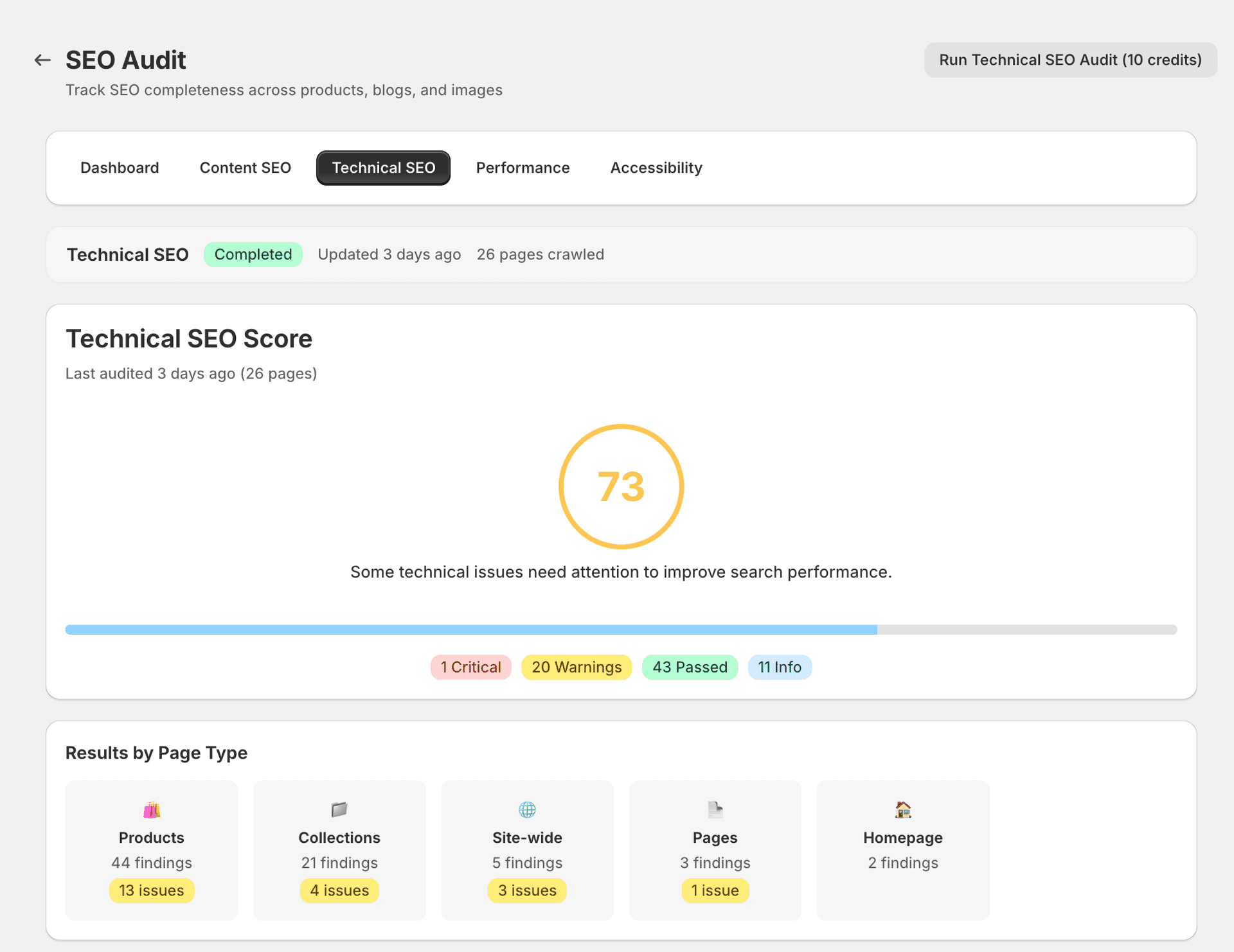
Technical SEO Audit
The Technical tab checks the structural foundations of your store's SEO — canonical URLs, redirects, broken links, robots configuration, and indexing issues.
What it checks
SitePx crawls your store's pages and evaluates the following technical signals:
| Check | What it means | Severity |
|---|---|---|
| Missing canonical tags | Without a canonical tag, search engines may index duplicate versions of the same page. | Critical |
| Broken internal links / 404s | Links pointing to pages that no longer exist waste crawl budget and create a poor user experience. | Critical |
| Redirect chains (3+ hops) | Multiple redirects in sequence slow down page loading and may cause search engines to stop following the chain. | Warning |
| Redirect loops | A redirect that points back to itself (or creates a cycle) prevents the page from loading entirely. | Critical |
| Missing robots.txt directives | An incomplete robots.txt may allow search engines to crawl pages you want excluded, or block pages you want indexed. | Warning |
| Noindex on important pages | A noindex directive on a key page (e.g. a product or collection) removes it from search results entirely. | Critical |
| Missing hreflang tags for multi-language stores | Without hreflang, search engines may show the wrong language version of a page to users in different regions. | Info |
| Orphan pages | Pages with no internal links pointing to them are difficult for search engines to discover and crawl. | Warning |
| Mixed content (HTTP resources on HTTPS pages) | Loading insecure resources on a secure page triggers browser warnings and can affect trust signals. | Warning |
| Missing XML sitemap references | Important pages not referenced in your sitemap may take longer for search engines to discover. | Info |
Understanding the results
Each issue in the Technical audit shows:
- Affected URL — The specific page where the issue was found.
- Severity — Critical, Warning, or Info.
- Fix type — AUTO, GUIDED, or MANUAL (see below).
- Description — An explanation of what's wrong and why it matters for your search rankings.
Fix types for technical issues
- AUTO — SitePx can fix canonical tag issues and some redirect problems automatically.
- GUIDED — Broken links require you to update or remove the link, but SitePx shows you exactly where it is and what to change.
- MANUAL — Robots.txt and theme-level changes need to be made in your Shopify theme editor. SitePx provides step-by-step instructions.
Note
Shopify manages many technical SEO elements automatically (SSL, sitemap generation, robots.txt basics). SitePx focuses on issues within your control.
Common issues
- Broken links — Often caused by deleted products or collections. Review each broken link and either set up a redirect to the most relevant alternative page, or remove the link entirely.
- Redirect chains — Consolidate chains to a single redirect for better crawl efficiency. For example, if Page A redirects to Page B, which redirects to Page C, update Page A to redirect directly to Page C.
- Missing canonicals — This usually indicates a theme issue. SitePx can inject canonical tags via schema configuration, or you can add them through your theme's code.
Prioritisation
Fix critical issues first. Broken links and redirect loops directly prevent search engines from crawling your site properly, which means affected pages may not appear in search results at all.
Warnings are important but less urgent — they reduce SEO effectiveness rather than blocking indexing entirely. Address them once all critical issues are resolved.