Image Optimiser
The Image Optimiser helps you manage, generate, and optimise images across your entire store for better SEO and faster page loads.
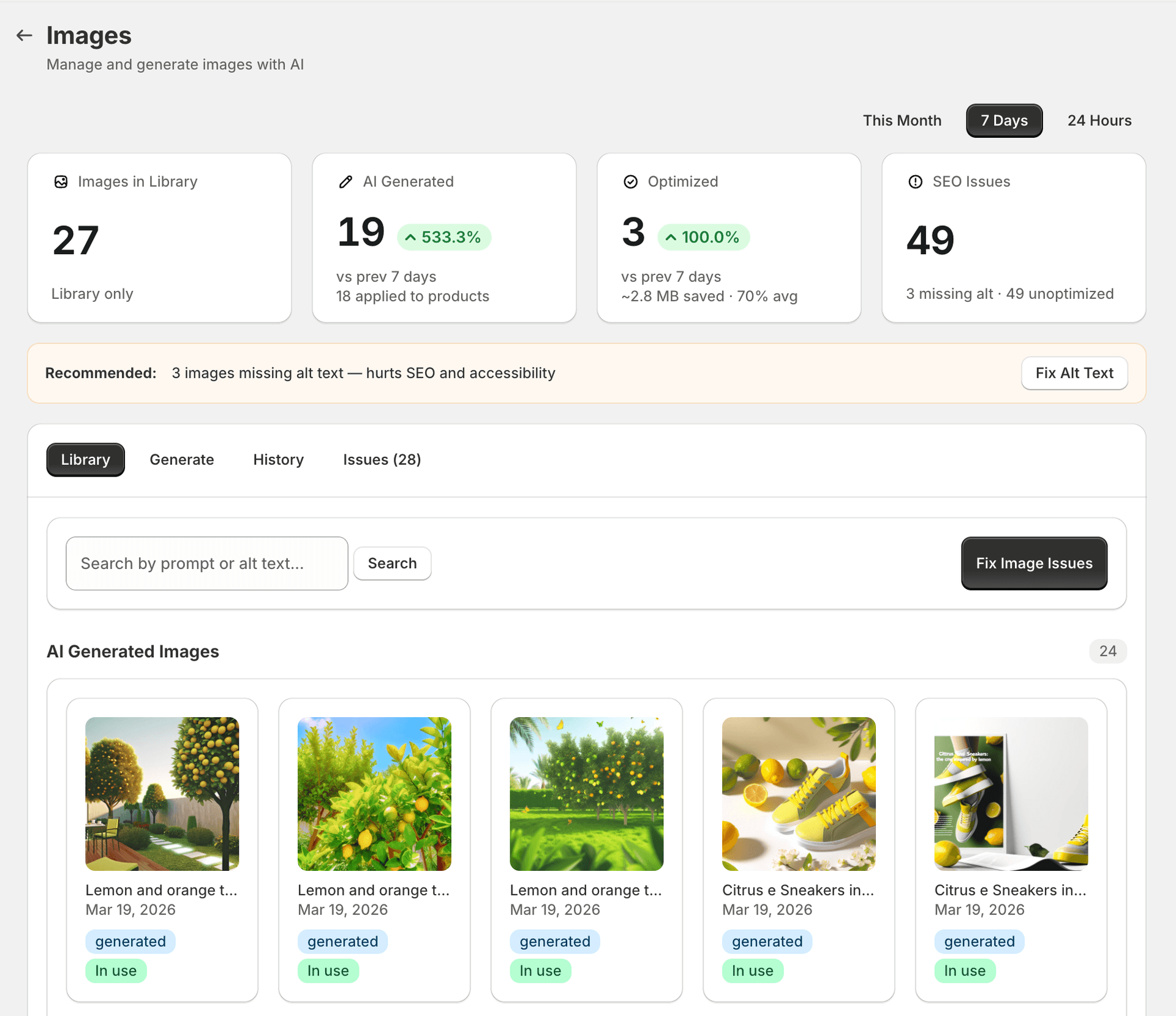
Image library
The image library shows all images currently in use across your store — product images, blog images, and page images. For each image you can see:
- File name
- Alt text status
- File size
- Format
- Which product or page it belongs to
Store image scan
SitePx scans your store to identify:
- Images missing alt text
- Oversized images that slow page loading
- Images using older formats (PNG/JPEG that could be WebP)
- Duplicate images
The scan runs as part of the SEO audit or can be triggered independently.
Generating images
SitePx supports 9 AI image models from OpenAI, Google, Black Forest Labs, and ByteDance — gated by plan. See the full model table, plan requirements, and credit costs on the Image Models page.
Generated images are:
- Optimised for file size from the start
- Created with descriptive alt text
- Uploaded directly to your Shopify store's file system
Consumes credits
Optimising existing images
For existing images, SitePx can:
- Generate missing alt text using AI (based on the product or page context)
- Compress images to reduce file size
- Recommend format changes for better performance
The “Optimise images” button in the toolbar processes all selected images.
Runs in background job
Image SEO issues
The Content SEO audit and the image library both surface image-specific issues that can hurt your search rankings and page performance. SitePx identifies the following types of issues:
| Issue | Why it matters |
|---|---|
| Missing alt text | Images without alt text are invisible to search engines and screen readers. Google cannot index them, and accessibility scores suffer. |
| Generic alt text | Alt text like “image”, “photo”, or “product” provides no SEO value. SitePx flags these so they can be replaced with descriptive, keyword-rich alternatives. |
| Large file size | Images over 500 KB slow down page loads, hurting Core Web Vitals scores (especially LCP). SitePx flags images that should be compressed. |
| Unoptimised format | PNG and JPEG files can often be served as WebP for 25–35% smaller file sizes with no visible quality loss. |
| Generic file names | File names like IMG_001.jpg or DSC_4532.png miss an opportunity to include descriptive keywords that search engines use for image ranking. |
| Duplicate images | The same image uploaded multiple times wastes bandwidth and can confuse search engines crawling your image sitemap. |
| Missing images | Broken image references (404s) create a poor user experience and signal low quality to search engines. |
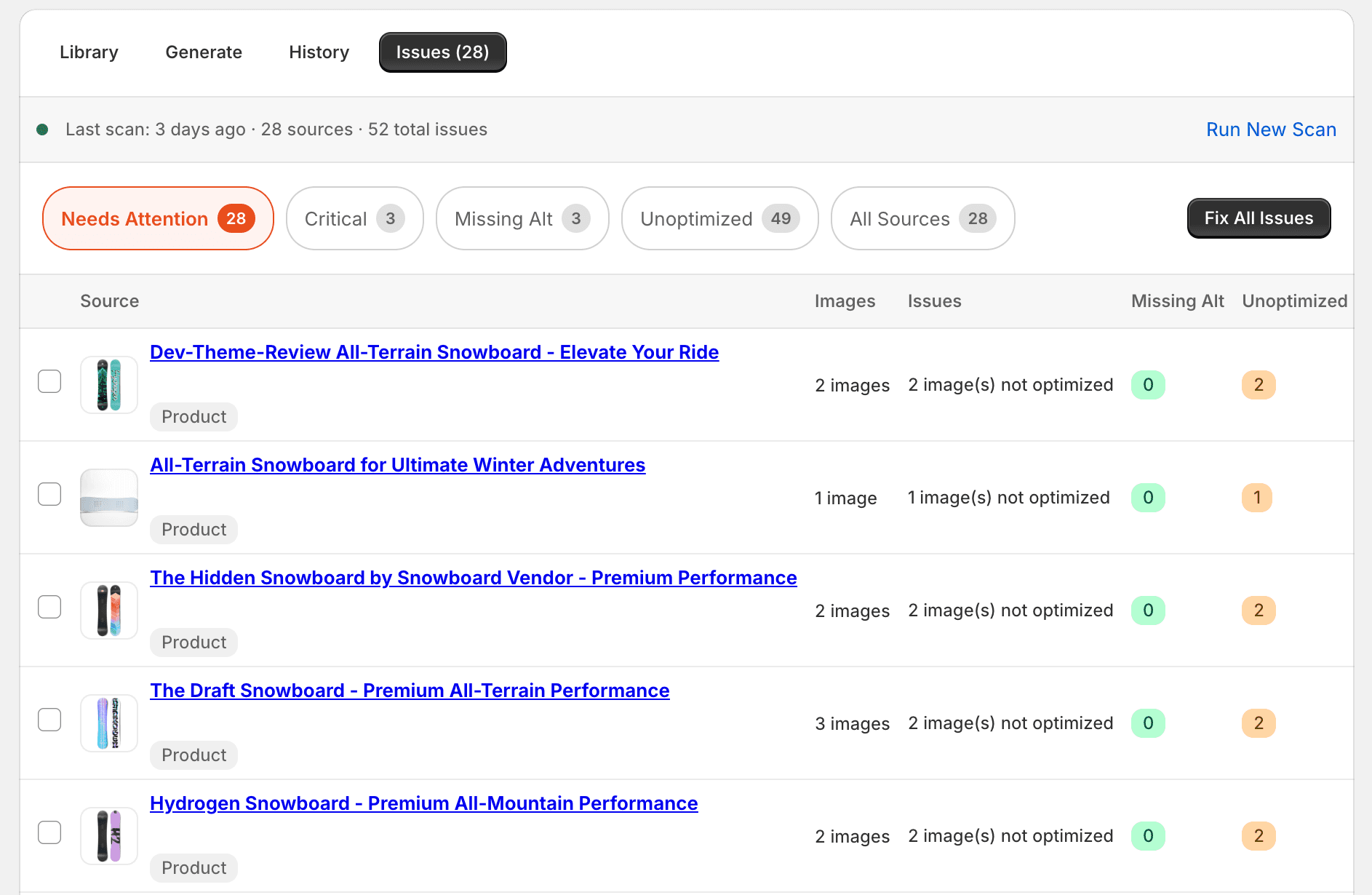
Fix all modal
Rather than fixing images one at a time, you can use the “Fix all” modal to batch-optimise multiple images at once:
Select images
Use the checkboxes to select individual images, or click “Select all” to choose every image with issues.
Choose optimisations
Pick which fixes to apply — generate alt text, compress file size, or both. SitePx shows a preview of the changes before you commit.
Apply and monitor
Click “Optimise” to start the background job. Track progress in the Operations section. Each image is processed and updated directly in your Shopify store.
Note
Best practices
- Use descriptive alt text that includes relevant keywords naturally.
- Keep product images under 500KB where possible.
- Use the same aspect ratio across product images for a consistent look.
- Include at least 3–5 images per product for better engagement.