Sitemap Controls
Manage what appears in your store's sitemap to help search engines focus on your most important pages and avoid crawling low-value content.
Shopify sitemap basics
Shopify auto-generates XML sitemaps for your store at yourstore.com/sitemap.xml. This includes all products, collections, pages, and blog posts. You can't directly edit Shopify's sitemap file — but you can control what appears in it.
How it works
SitePx uses Shopify's seo.hidden metafield to control which resources appear in your XML sitemap and search engine results. When you enable Sitemap Controls and configure rules, SitePx sets this metafield on matching resources. You must click “Apply Changes” to push changes to Shopify.
Warning
seo.hidden also hides resources from Shopify's storefront search. Products hidden via these rules won't appear in your store's search results either.Hiding items from the sitemap
Use the Sitemap Controls page to select which items to hide. SitePx provides both rule-based and manual approaches:
- Select items to hide from the Sitemap Controls page
- Use rule-based hiding for bulk control
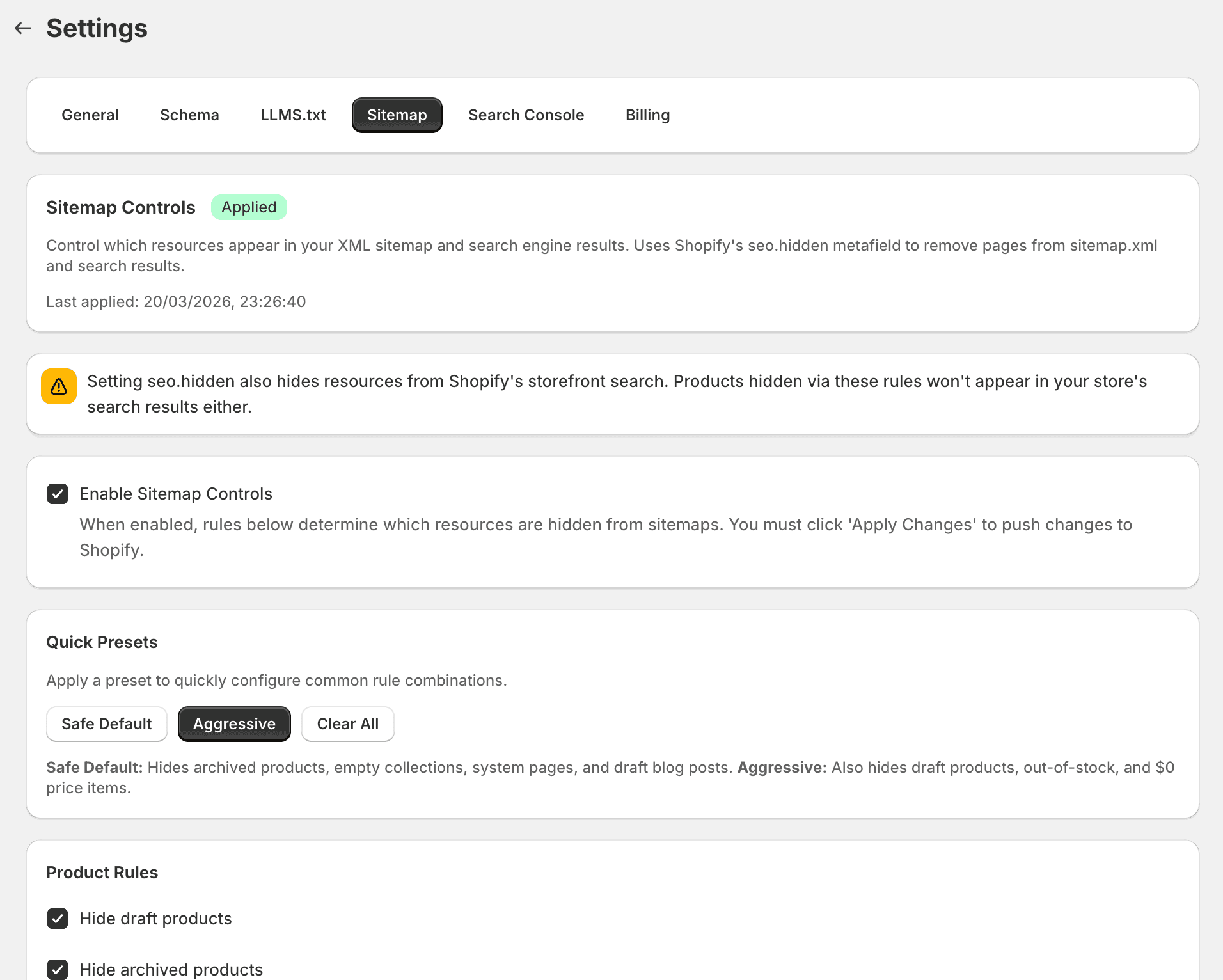
Quick presets
Apply a preset to quickly configure common rule combinations:
| Preset | What it hides |
|---|---|
| Safe Default | Archived products, empty collections, system pages (account, login, search, cart, checkout, 404, password), and draft blog posts. |
| Aggressive | Everything in Safe Default plus draft products, out-of-stock products, and products with $0 price. |
Rule-based hiding
Create rules to automatically hide items from the sitemap. Rules are grouped by resource type:
Product rules
- Hide draft products — products not yet published
- Hide archived products — discontinued or retired products
- Hide out-of-stock products — products with zero inventory
- Hide products with $0 price — placeholder or free items
- Hide products with specific tags — provide a comma-separated list of tags (e.g.
noindex, hidden, internal). Products matching any tag will be hidden. - Hide products in specific collections — provide comma-separated collection handles (e.g.
private-collection, test-products).
Collection rules
- Hide empty collections — collections with 0 products
- Hide specific collections by handle — provide comma-separated handles (e.g.
test-collection, internal).
Page rules
- Hide system pages — account, login, search, cart, checkout, 404, and password pages
- Hide specific pages by handle — provide comma-separated handles (e.g.
test-page, coming-soon).
Blog post rules
- Hide draft/unpublished blog posts
- Hide blog posts with specific tags — provide comma-separated tags (e.g.
draft, internal). - Hide blog posts from specific blogs — provide comma-separated blog handles (e.g.
test-blog, internal-notes).
Rules apply automatically to new items that match the criteria when you next apply changes.
Manual selection
For one-off exclusions, manually select individual products, pages, or posts to hide. Useful for:
- Test products
- Internal pages
- Seasonal content you want to temporarily de-index
Allowlist / exceptions
If a rule would hide an item you want to keep in the sitemap, add it to the allowlist. Allowlisted items are never hidden, regardless of rules.
Impact preview
Before applying changes, use the Impact Preview to see how many resources would be affected without making any changes. This lets you review the scope of your rules before pushing them to Shopify.
Validation
After applying changes, SitePx validates your sitemap by:
- Checking that your sitemap URL returns a valid HTTP status
- Counting total URLs in the sitemap
- Verifying that hidden resources are actually excluded
- Checking that important pages aren't accidentally hidden
- Comparing your sitemap against your GSC coverage report (if connected)
Validation results show as Valid (green) or Critical (red) with details about any issues found.
Note
HTML sitemap
SitePx can generate a human-readable HTML sitemap page for your store. Unlike XML sitemaps (for search engines), HTML sitemaps are for human visitors. Enabling this creates a /pages/sitemap page listing all your store's visible content with links, helping with both navigation and internal linking.
Note
Best practices
Keep your sitemap focused: only include pages you want search engines to index.
- Start with the Safe Default preset and adjust from there.
- Hide out-of-stock products if they won't return.
- Hide tag-based collection pages that create near-duplicate content.
- Use rules rather than manual selection for scalability.
- Always use Impact Preview before applying to avoid accidentally hiding important pages.