Content Templates
Content templates control how SitePx generates product descriptions, blog posts, meta tags, and more. Each template defines structure, guardrails, and character limits for a specific content type.
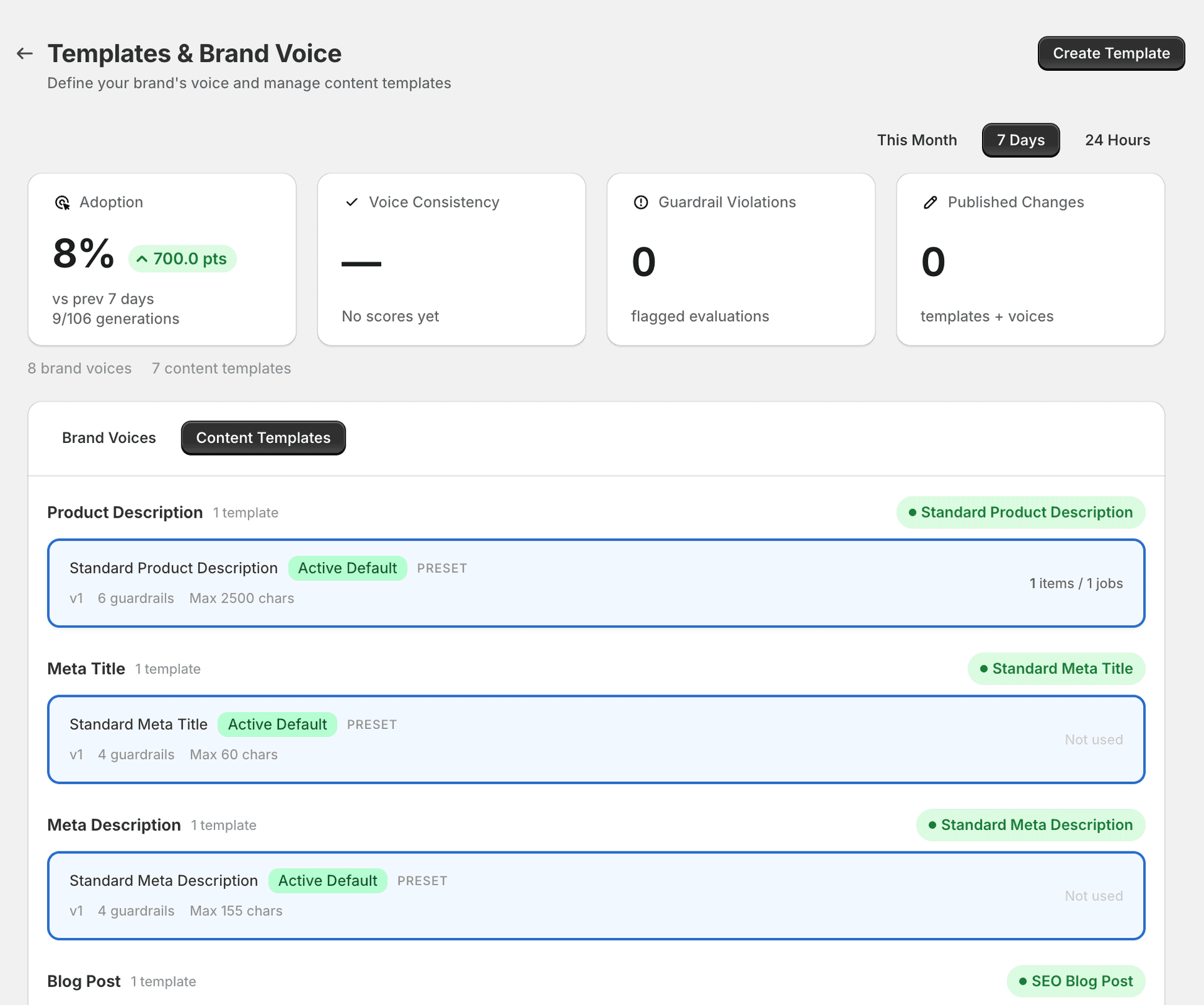
How templates work
Each content type in SitePx has at least one template that controls the AI output. Templates define:
- Guardrails — rules the AI must follow when generating content (e.g. “include at least one call to action”, “never mention competitor names”).
- Character limits — maximum content length to keep output within platform constraints.
- Version tracking — templates are versioned so you can track changes over time.
The active default template for each content type is used automatically when generating content. You can click into any template to edit it, or create a new one by clicking “Create New”.
Default templates
SitePx ships with a pre-configured template for each content type. These are marked as Active Default and are ready to use out of the box.
| Template | Guardrails | Max length |
|---|---|---|
| Standard Product Description | 6 guardrails | 2,500 characters |
| Standard Meta Title | 4 guardrails | 60 characters |
| Standard Meta Description | 4 guardrails | 155 characters |
| SEO Blog Post | 6 guardrails | — |
| Standard Collection Description | 4 guardrails | 2,000 characters |
| Standard FAQ Block | 5 guardrails | — |
| Standard Image Alt Text | 5 guardrails | 125 characters |
Editing a template
Click into any template to customise it. You can adjust:
- Guardrails — add, remove, or edit the rules that guide AI output.
- Character limits — set maximum content length appropriate for your needs.
- Template instructions — provide specific guidance for the AI on structure, formatting, and content priorities.
Changes are saved as a new version. Previous versions are preserved so you can roll back if needed.
Creating a new template
Click “Create New” to build a template from scratch. New templates start inactive — you need to set one as the active default for its content type to start using it.
Note
Templates and brand voice
Templates and Brand Voice work together. The template controls what content is generated (structure, guardrails, length), while the brand voice controls how it sounds (tone, vocabulary, style). Both are applied during every content generation.
Content versioning and rollback
Every piece of content generated by SitePx is versioned. You can:
- View all previous versions of any content
- Compare versions side by side
- Roll back to a previous version if needed
This gives you full control and a safety net when experimenting with different templates.
Note