Product Optimiser
The Product Optimiser helps you improve SEO for every product in your store — from meta tags and descriptions to images and tags.
Product table
The products list shows all your Shopify products with:
- Product title
- SEO score (0–100)
- Status indicators (what has been optimised, what needs work)
- Last optimised date
You can sort and filter to find products that need attention.
SEO score
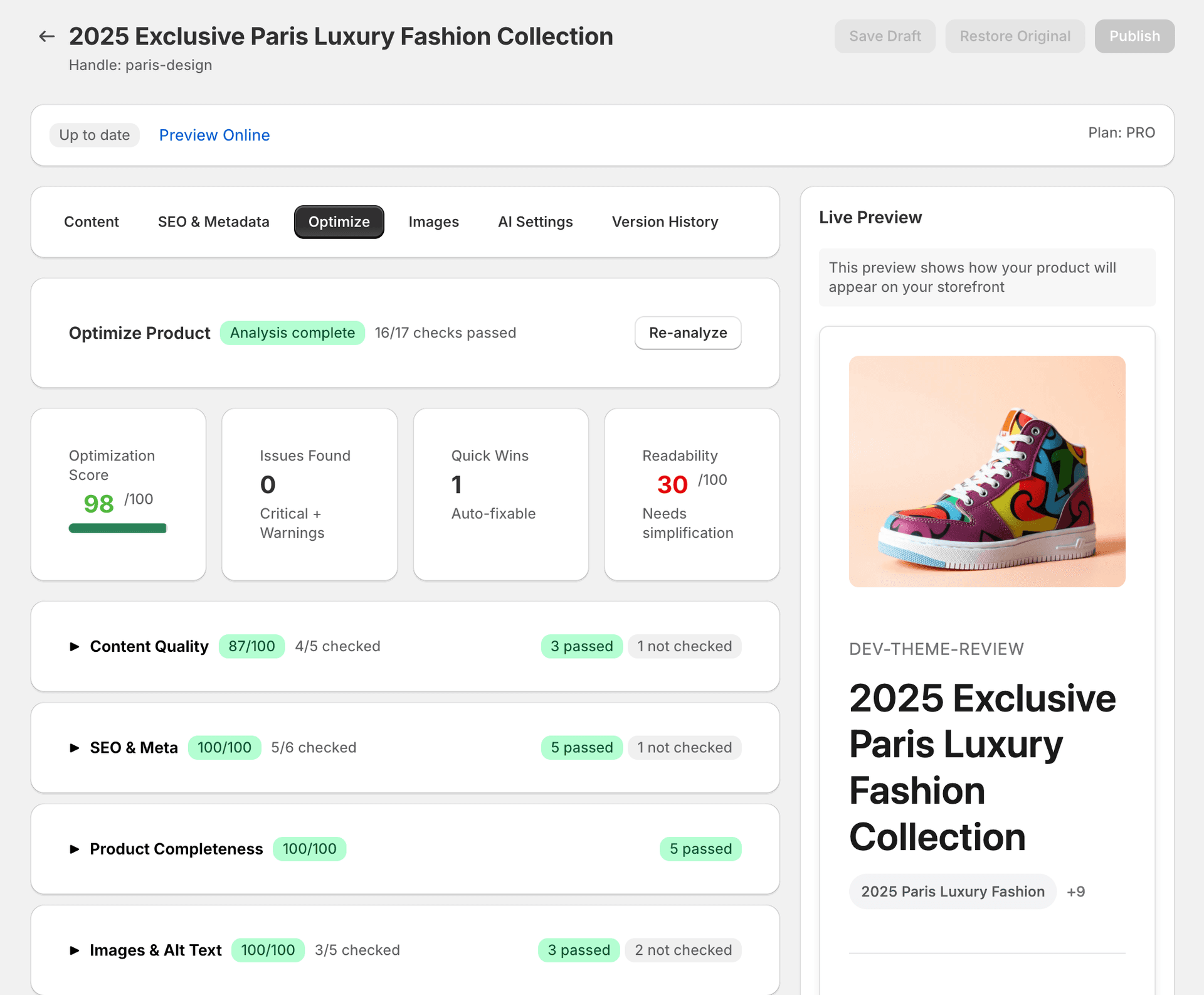
Each product gets a score from 0 to 100 based on:
- Meta title — present, correct length, includes keywords
- Meta description — present, correct length, compelling
- Product description — sufficient length, well-structured, unique
- Image alt text — present on all images
- Tags — present and relevant
The score updates when you optimise or when you trigger a score refresh.
Optimising a product
Open the product
Click on any product to open the optimiser.
Review the score breakdown
Review the score breakdown to see what needs improvement.
Apply fixes
Click “Fix all low-risk” to auto-apply safe improvements, or review individual suggestions.
Handle each suggestion
For each suggestion, you can: apply it immediately, save as draft, or dismiss.
Changes are published
Applied changes are pushed to your Shopify store as a background job.
Consumes credits
Runs in background job
Drafts vs Apply
- Draft — saves the suggestion locally without publishing to Shopify. Useful for review workflows.
- Apply — immediately queues the change for publishing to your Shopify store.
You can review and apply all drafts later from the product detail page.
What cannot be auto-fixed
- Product pricing, inventory, and variant information cannot be changed by SitePx.
- Product images must be uploaded through Shopify — SitePx can optimise alt text and file names but cannot replace image files.
- Collection assignments are managed in Shopify.
Score freshness
Scores are cached and do not update automatically when you make changes in Shopify directly. Use the “Refresh scores” button on the products page to recalculate. Scores automatically refresh after SitePx applies optimisations.
AI optimisation options
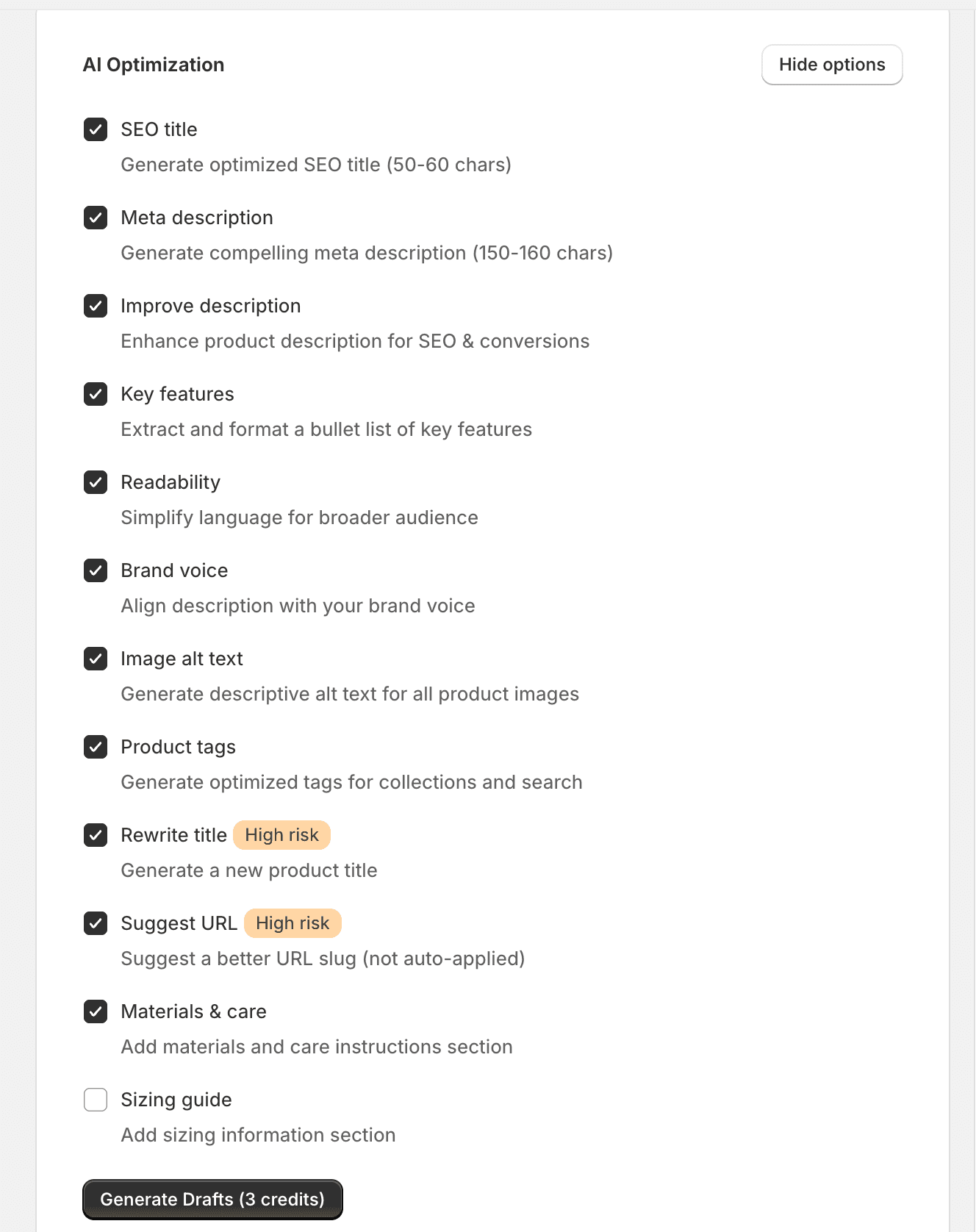
When you open a product in the optimiser, you have access to a range of AI-powered actions. Each option targets a specific aspect of your product's SEO and content quality.
Low-risk options
These are safe to apply without review. They improve SEO without changing how customers see your product on the storefront.
| Option | What it does |
|---|---|
| SEO title | Generates an optimised SEO title (50–60 characters) that includes relevant keywords while staying within Google's display limits. |
| Meta description | Generates a compelling meta description (150–160 characters) designed to improve click-through rates from search results. |
| Improve description | Enhances your existing product description for both SEO and conversions — improving readability, keyword usage, and persuasiveness without losing your original meaning. |
| Key features | Extracts the most important product attributes and formats them as a clean bullet list. Great for scannability and featured snippet eligibility. |
| Readability | Simplifies language and sentence structure to make your description accessible to a broader audience, without dumbing down the content. |
| Brand voice | Rewrites or adjusts the description to match your configured brand voice settings. Requires Brand Voice to be set up in Settings. |
| Image alt text | Generates descriptive alt text for all product images using the product context. Improves both accessibility and image search rankings. |
| Product tags | Generates optimised tags for collections and internal search, helping customers find your products and improving site navigation. |
High-risk options
Warning
| Option | What it does |
|---|---|
| Rewrite title | Generates a completely new product title. This changes the title customers see on your storefront and in search results. Review carefully before applying. |
| Suggest URL | Suggests a better URL slug based on the product title and keywords. This is not auto-applied — you must update the URL handle manually in Shopify to avoid breaking existing links. |
Content enrichment options
| Option | What it does |
|---|---|
| Materials & care | Adds a materials and care instructions section to the product description. Particularly useful for fashion, textiles, and homeware products. |
| Sizing guide | Adds sizing information to the product description. Helps reduce returns and improves the shopping experience for clothing and footwear products. |