Blog Optimiser
The Blog Optimiser analyses and improves your blog posts for search performance, content quality, and brand voice consistency.
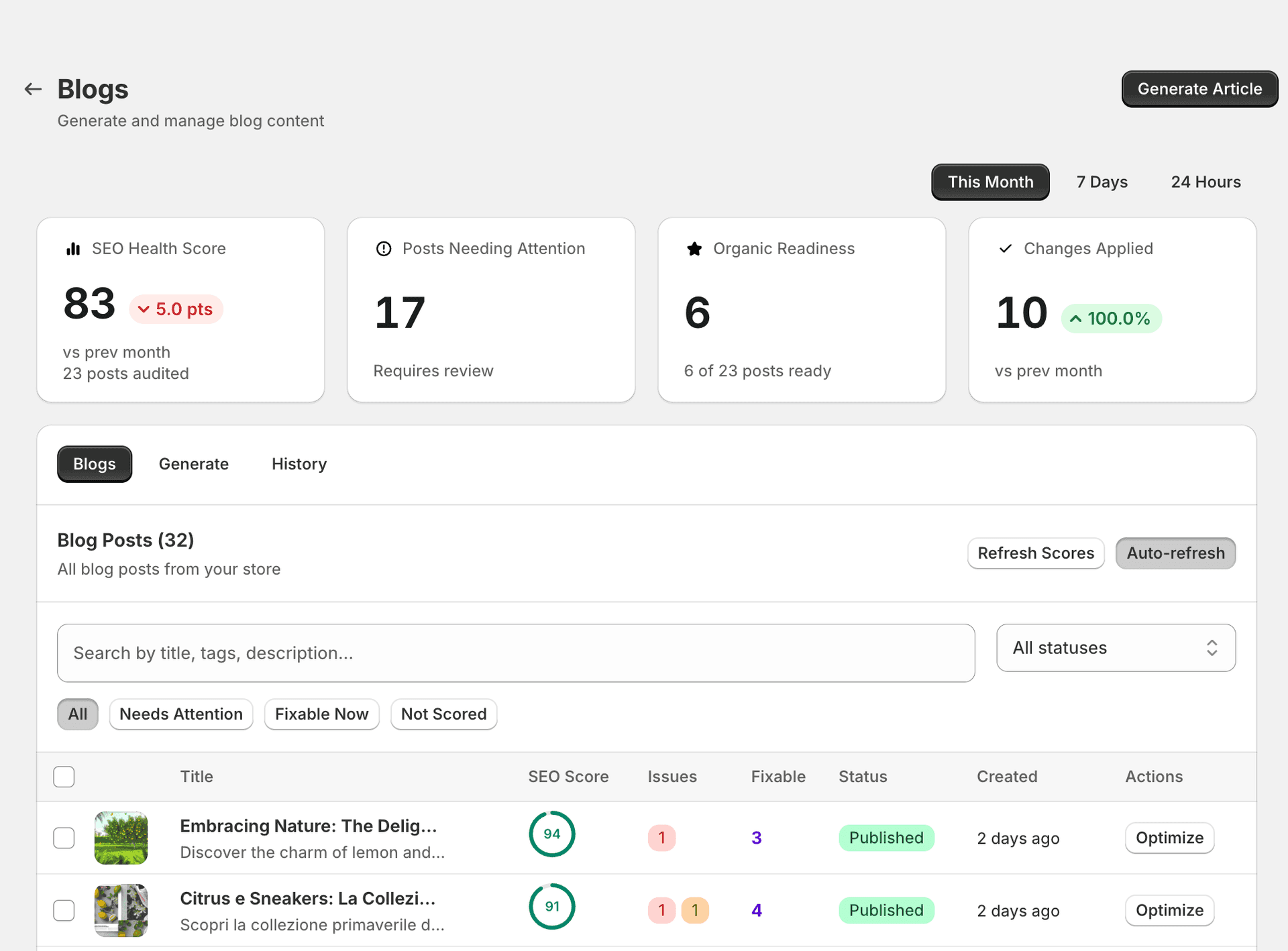
Blog table
The blog list shows:
- Post title
- SEO score (0–100)
- Published status
- Tags
- Last optimised date
Filter by score range or status to focus on posts that need work.
SEO score for blogs
Blog scores are calculated across these sections:
- SEO basics — meta title, meta description, URL handle
- Content quality — word count, readability, uniqueness
- Headings — H1 present, heading hierarchy, keyword usage in headings
- Internal links — links to other pages/products on your store
- Images — alt text, image count, relevance
- E-E-A-T signals — expertise, experience, authoritativeness, trustworthiness markers
- FAQ section — presence of FAQ schema-eligible content
- Brand voice — consistency with your configured brand voice
Understanding “Not checked”
Some sections show a “Not checked” status. This means:
- The check has not been run yet for this post, or
- The post was added after your last audit.
Running the blog optimiser will evaluate all sections.
Optimising a blog post
Open the blog post
Click on a blog post to open the optimiser.
Review each section
Review each section's score and suggestions.
Apply fixes
Apply fixes individually or use “Fix all” for low-risk changes.
Review content rewrites
For content rewrites, review the AI suggestion before applying.
Changes are published
Changes are published to your Shopify blog as a background job.
Consumes credits
Runs in background job
Blog optimise page
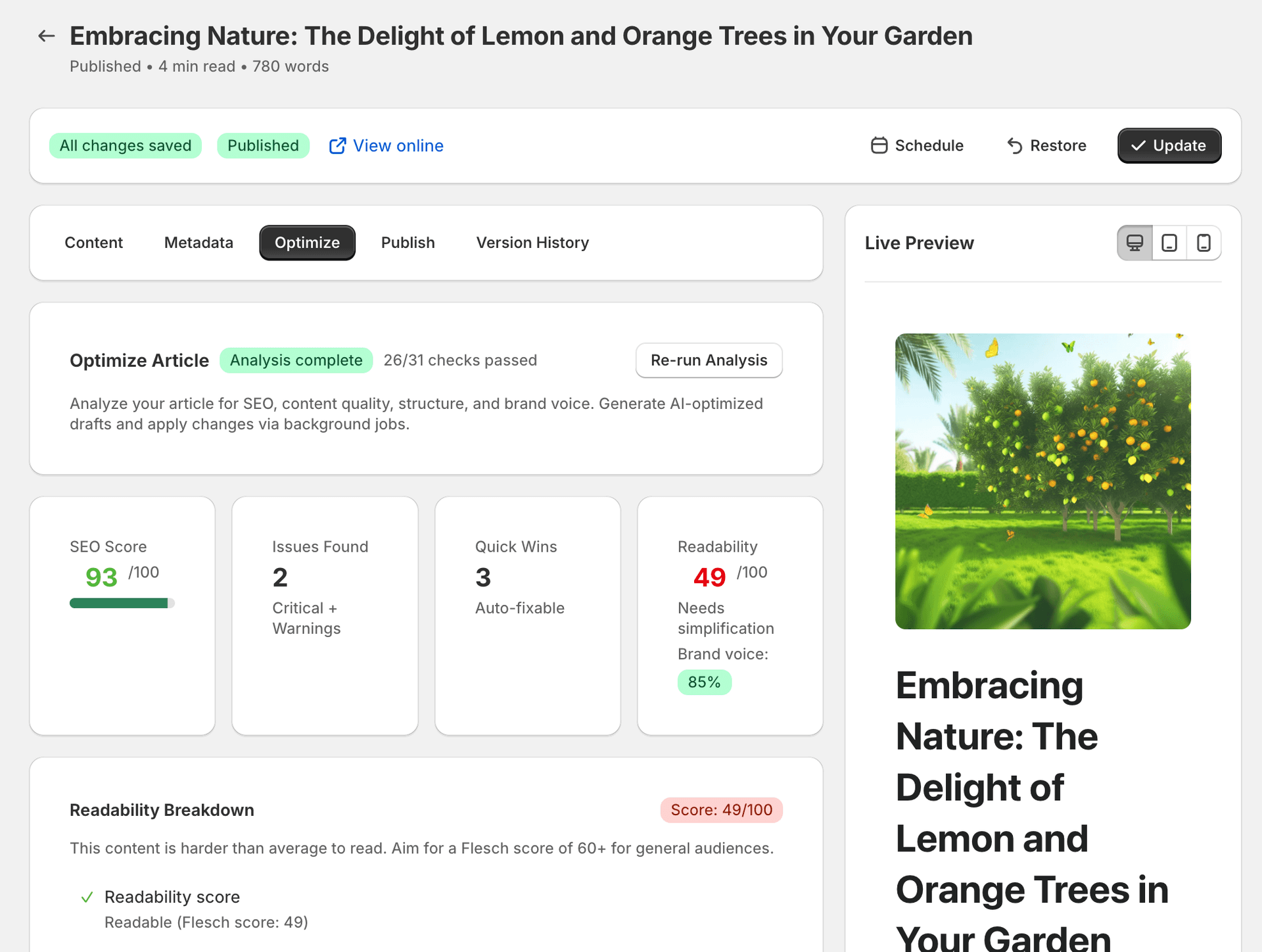
When you open a blog post in the optimiser, you see a detailed breakdown of its SEO health across multiple dimensions:
- SEO score — an overall score out of 100, combining all SEO factors into a single metric. A score of 93/100 indicates excellent SEO health with minor improvements possible.
- Readability — scored out of 100, measuring how easy your content is to read. This considers sentence length, vocabulary complexity, and paragraph structure.
- Brand voice — a percentage match against your configured brand voice settings, showing how consistently the post reflects your brand's tone and style.
- Optimisation checklist — a detailed checklist showing how many checks are passing (e.g. 26/31 passing, 84%). Each check is grouped into categories so you can see exactly what needs attention.
Checklist categories
The optimisation checklist is broken down into the following categories:
| Category | What it checks |
|---|---|
| SEO basics | Meta title length and quality, meta description, URL slug, canonical tag, and Open Graph tags. |
| Content quality | Word count, paragraph length, sentence variety, keyword density, and content uniqueness. |
| Headings | Single H1 present, correct heading hierarchy (H2 → H3 → H4), keywords in headings, and heading count. |
| Internal links | Links to products, collections, and other blog posts on your store. Helps search engines discover and rank your content. |
| Images | Alt text present on all images, descriptive file names, image count appropriate for the content length. |
| E-E-A-T signals | Author attribution, publish and update dates, source citations, and expertise indicators. |
| FAQ section | Presence of FAQ-structured content eligible for rich snippets in search results. |
| Brand voice | Consistency with your configured brand tone, vocabulary, and messaging style. |
AI optimisation options
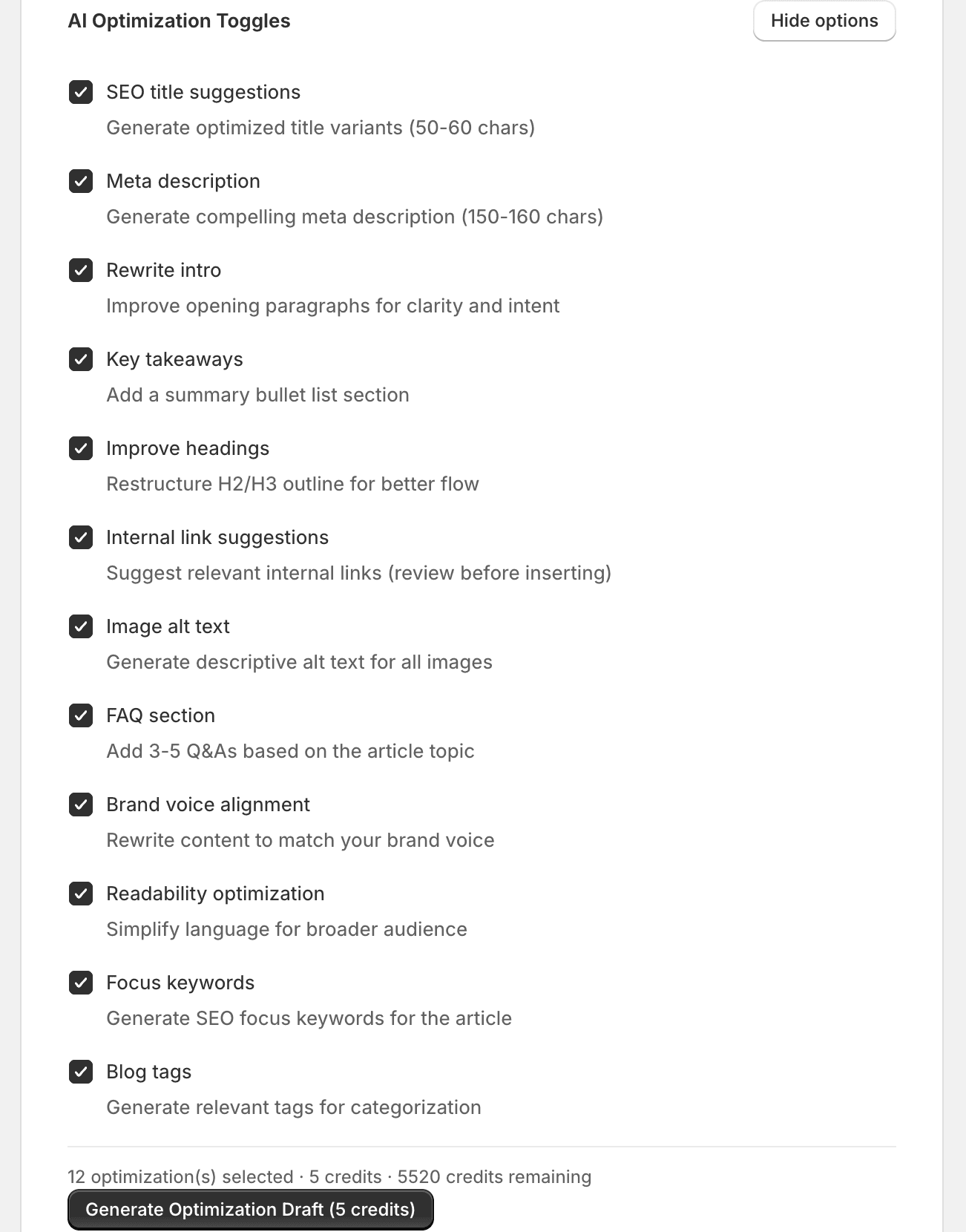
When you open a blog post in the optimiser, you have access to a range of AI-powered actions. Each option targets a specific aspect of your post's SEO and content quality.
Low-risk options
These are safe to apply without review. They improve SEO without changing how readers see your blog post on the storefront.
| Option | What it does |
|---|---|
| SEO title suggestions | Generates an optimised SEO title (50–60 characters) that includes relevant keywords while staying within Google's display limits. Does not change the visible blog post title. |
| Meta description | Generates a compelling meta description (150–160 characters) designed to improve click-through rates from search results. |
| Image alt text | Generates descriptive alt text for all images in the blog post using the content context. Improves both accessibility and image search rankings. |
| Blog tags | Generates optimised tags for categorisation and internal search, helping readers discover related content on your store. |
| Focus keywords | Analyses the post content and suggests primary and secondary keywords to target. Helps you understand what terms the post is most likely to rank for. |
| Internal link suggestions | Scans your store's products, collections, and other blog posts to suggest relevant internal links. Strengthens your site's internal linking structure for better SEO. |
Content improvement options
Warning
| Option | What it does |
|---|---|
| Rewrite intro | Rewrites the opening paragraph to hook readers and incorporate target keywords naturally. A strong intro reduces bounce rates and signals relevance to search engines. |
| Key takeaways | Generates a summary of key takeaways or a TL;DR section. Great for featured snippet eligibility and improving reader engagement. |
| Improve headings | Rewrites headings to include target keywords, improve clarity, and follow a logical hierarchy. Well-structured headings help both readers and search engines understand your content. |
| Readability optimisation | Simplifies language, shortens sentences, and improves paragraph flow to make the post accessible to a broader audience without losing its meaning. |
| Brand voice alignment | Adjusts the post's tone and language to match your configured brand voice settings. Requires Brand Voice to be set up in Settings. |
Content enrichment options
| Option | What it does |
|---|---|
| FAQ section | Generates a Frequently Asked Questions section based on the post's topic. FAQ content is eligible for rich snippets in Google search results, increasing your visibility and click-through rate. |
Generating new blog posts
SitePx can generate entire blog posts optimised for SEO from the start. From the Blogs section, click “Generate” to create a new post.
- You provide a topic and keywords.
- SitePx creates a full post with proper headings, internal links, meta tags, and FAQ sections.
- Generated posts are saved as drafts — review before publishing.
Blog images
You can generate featured images and in-post images using SitePx's image generation. Images are created with appropriate alt text and optimised file sizes. See the Image Optimiser for more details.